Case Study
Usability for Enterprise AI Tools
Sam’s Club has 600 discount clubs across the United States. Their retail buyers and pricing merchants have access to a broad set of AI tools for making pricing decisions; however those tools can be cumbersome and overwhelming.
Role
- Lead UX Designer
Duration
- 1½ years
Project Scope
- Research
- System Design
- Design Language
- Workshops
- Information Architecture
- Interaction Design
- High-Fidelity Visual Design
About the Project
Working across 4+ different vertical tracks at Sam’s (including cost and pricing managers, commodities merchants, and more), I led a local team to take Sam’s enterprise software tools to the next level.
Browse Potential Matches
Detail Match View
Impact Analysis
Simplifying the day-to-day workload
Sam’s Club, known for their discount clubs across the US, has an intricate – and sometimes bloated – system of enterprise business tools used by their 2+ million employees. Each business unit has built customized software to meet the needs of these employees – for everything from product inventory, commodity price tracking, product pricing, and many, many more.
Many times, team members use multiple overlapping systems to accomplish a single task, and this can be overwhelming for accomplishing day-to-day goals. One employee we interviewed counted 116 different software tools they use on a weekly basis in the course of doing their normal job.
Our team was tasked with evaluating the user needs and updating or creating new tools that streamlined their day-to-day workflow.
Design Process
Though each track of work had a slightly unique process, we always started with research: interviewing employees about their needs and frustrations. Sam’s has a fantastic culture of valuing user feedback and building it into the process.
Once we gathered user needs and requirements from the Sam’s Product Owner (PO), we then built a strategy and roadmap for product improvements. Working in Figma, we created designs of increasing fidelity – checking in with users along the way to validate our assumptions and ideas. Lastly, creating a detailed design documentation for the developers to use in making the designs a reality.
Design Language System (DLS)
Throughout the Sam’s contract, I also worked with the design team to build out a more robust DLS for an internal software suite. The current system used by the team was old, disjointed, and had low usage among the designers. We partnered with their internal teams to rebuild and migrate to a newer system and encouraged their developers to use Storybook for easier dev integration as well.
Tracks of Work:
Design System Creation
Dashboard Data Visualization
Tracks of Work:
Competitor’s Item Price Matching
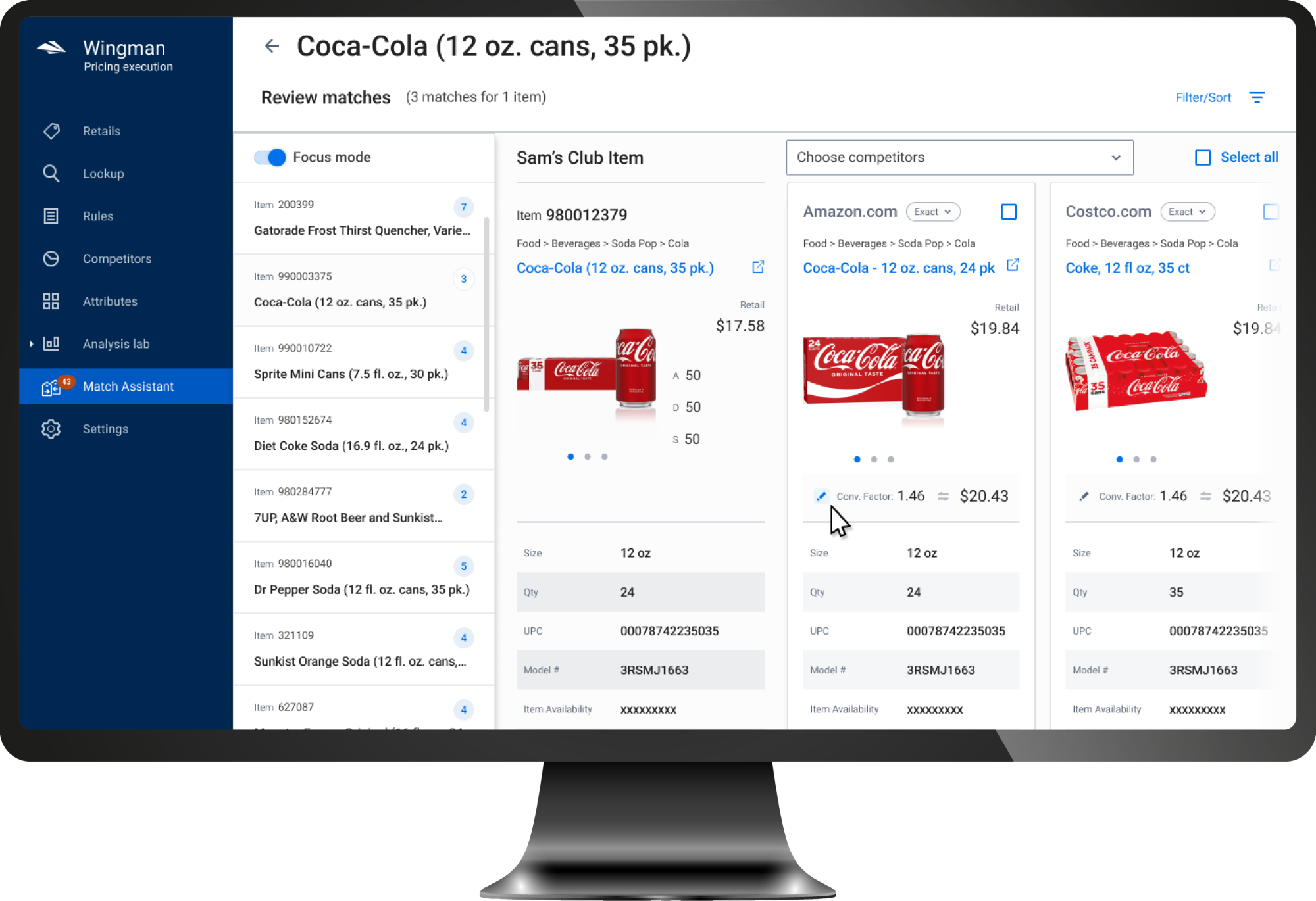
To accurately price products, Sam’s pricing managers routinely review prices of their competitors. While there were automated systems that scrape data from other sites and try to map to existing Sam’s products, users were still responsible for reviewing and validating those matches.
Between three vastly different tools, surfacing the right data was time consuming and painful. Pricing managers were spending nearly a whole day every week approving or rejecting potential product matches.
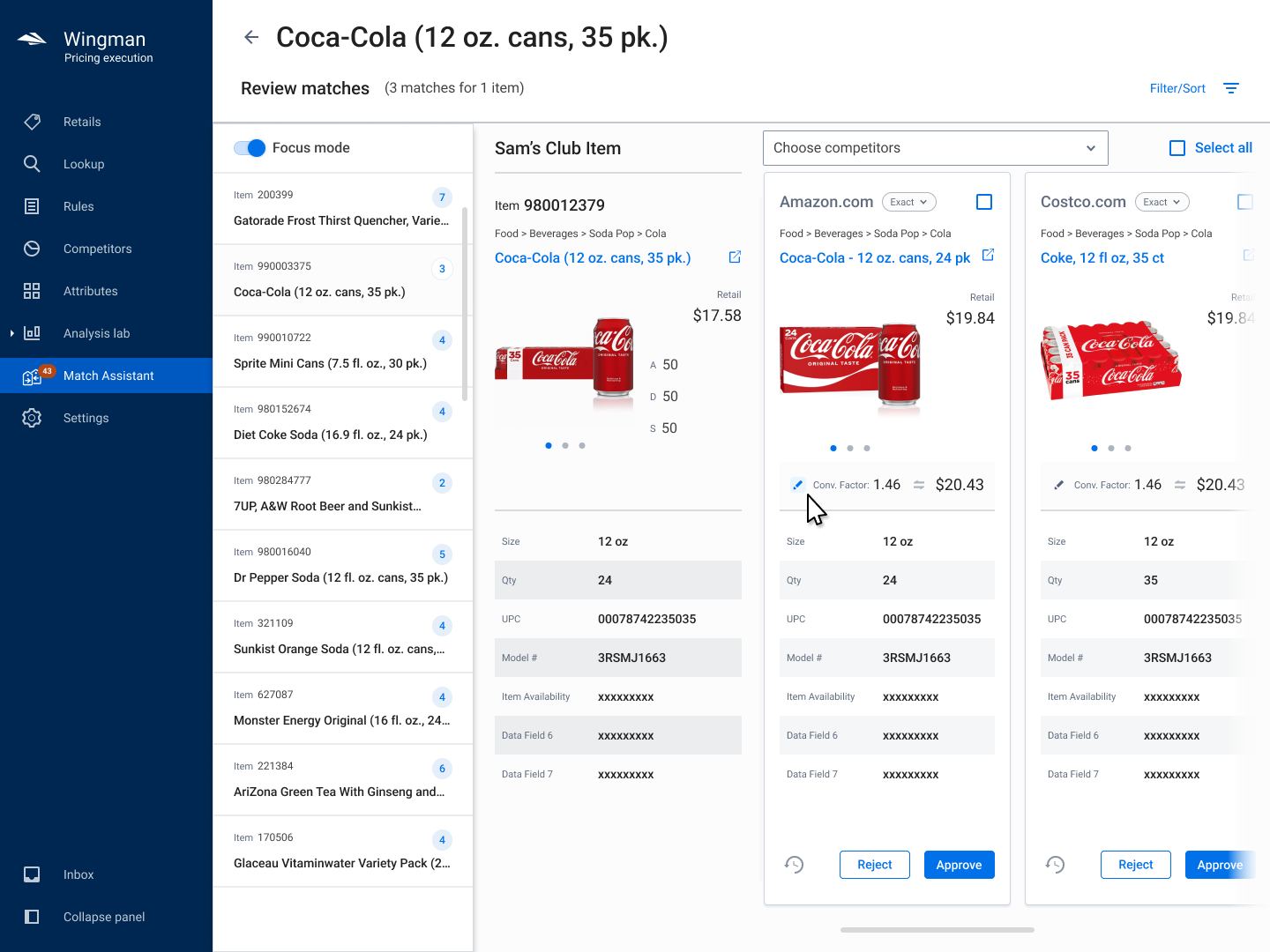
Detail Match View
Update Conversion Factor
Filtering Potential Matches
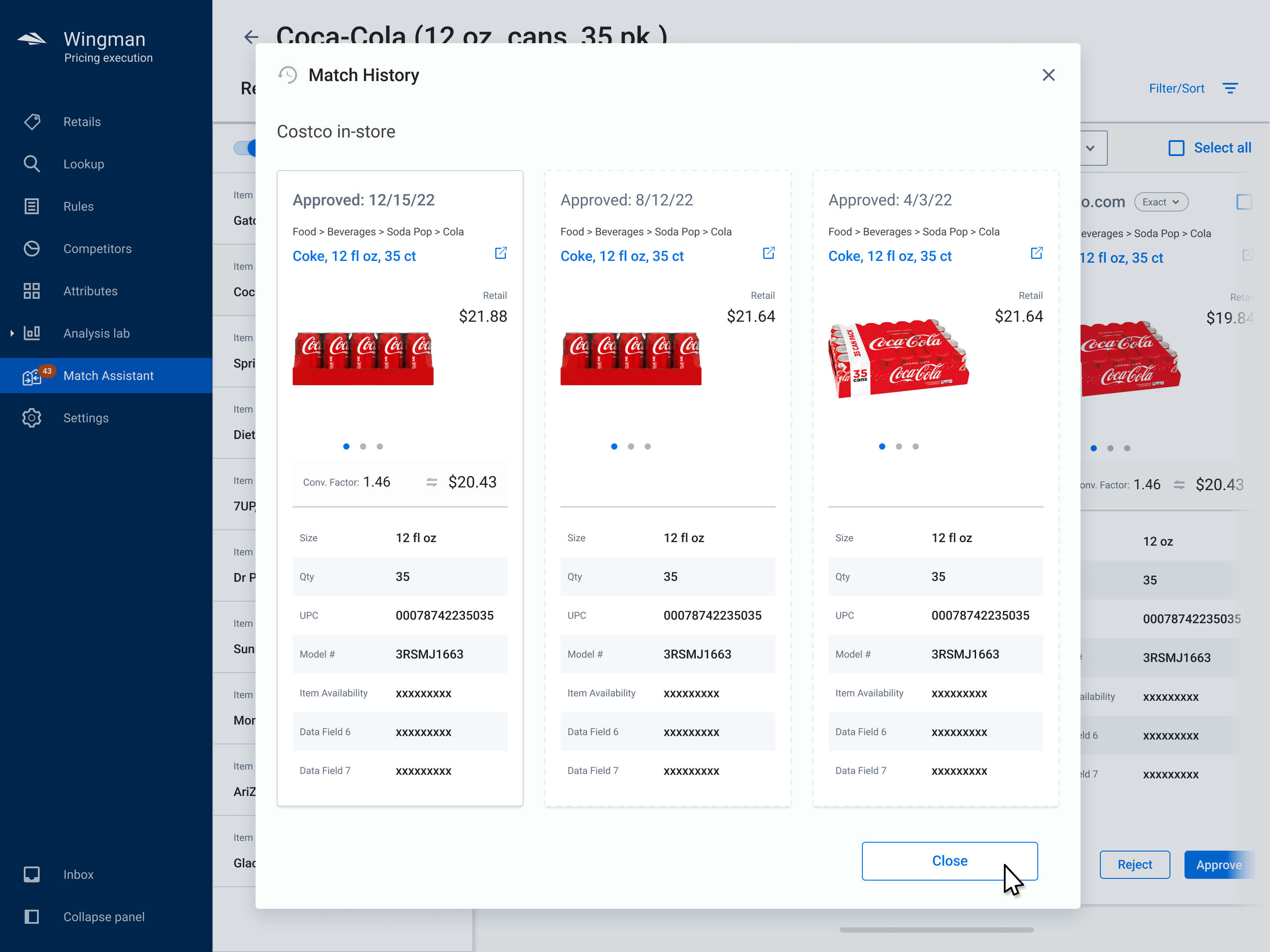
Match History
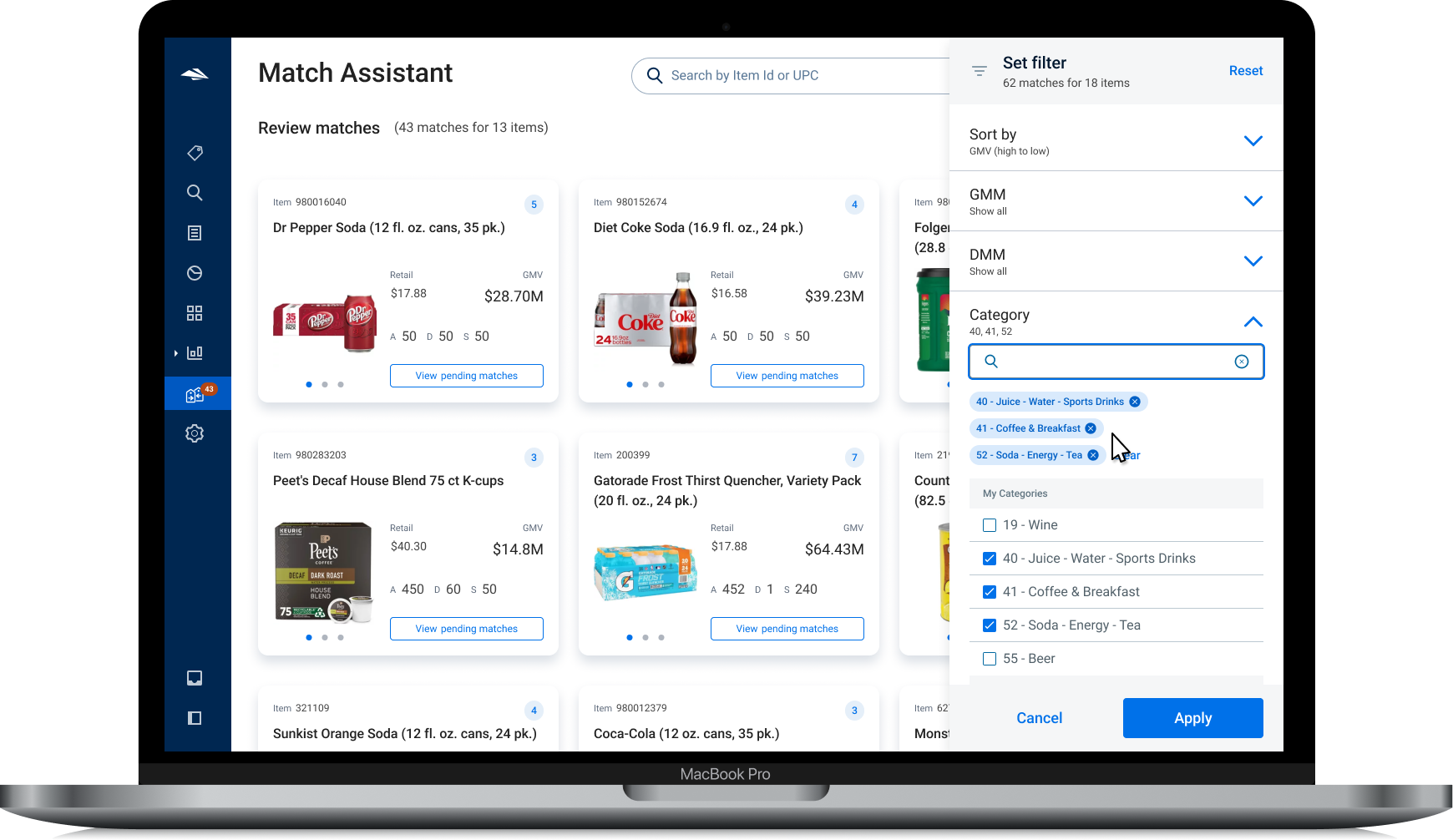
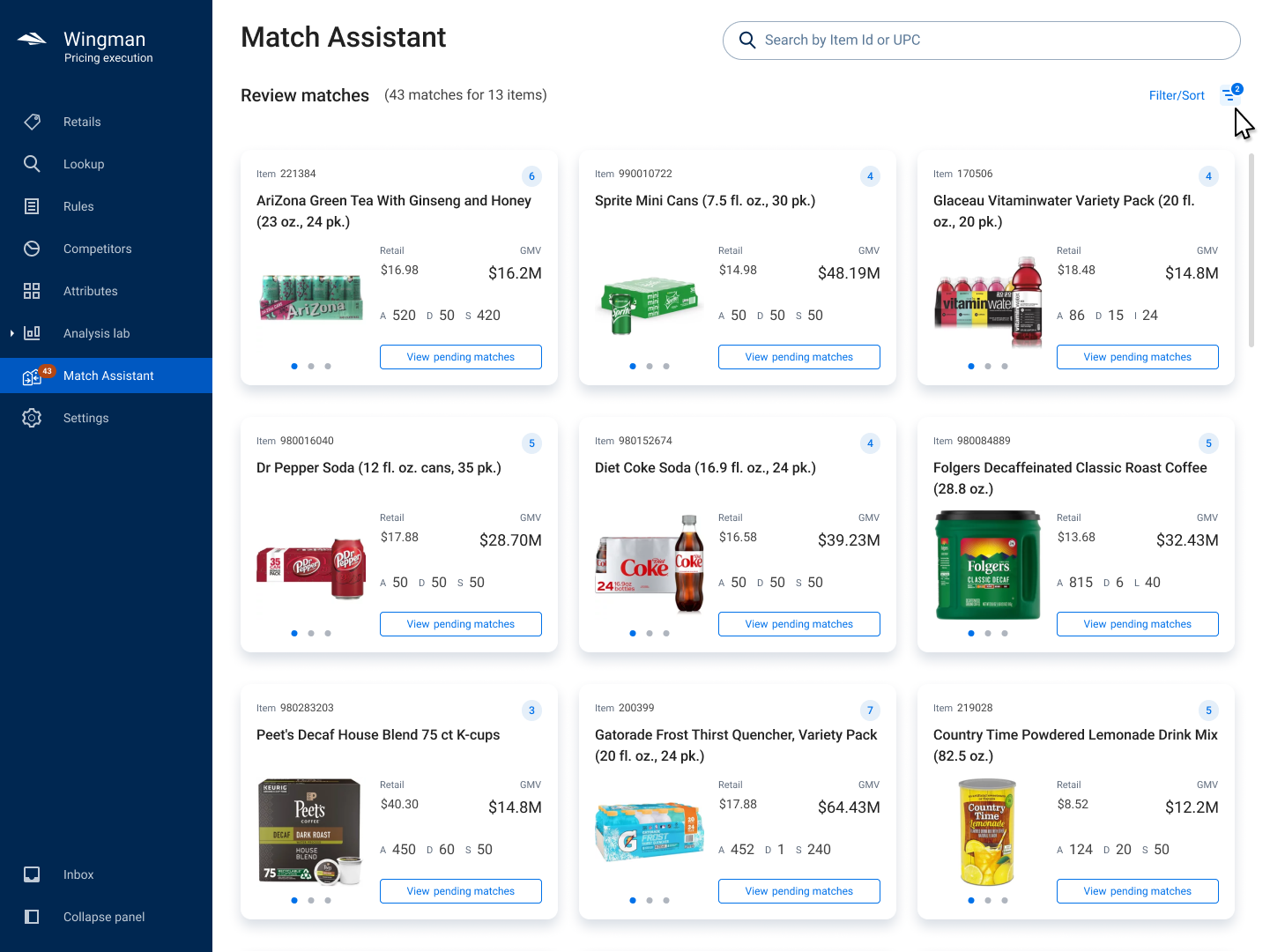
Browse Potential Matches
Before
To accurately price products, Sam’s pricing managers routinely look at the prices of their competitors. While there were automated systems that scrape data from other sites and try to map to existing Sam’s products, users were still responsible for reviewing and validating those matches.
Between 3 vastly different tools, surfacing the right data was time consuming and painful. Pricing managers were spending nearly a whole day every week approving or rejecting potential product matches.
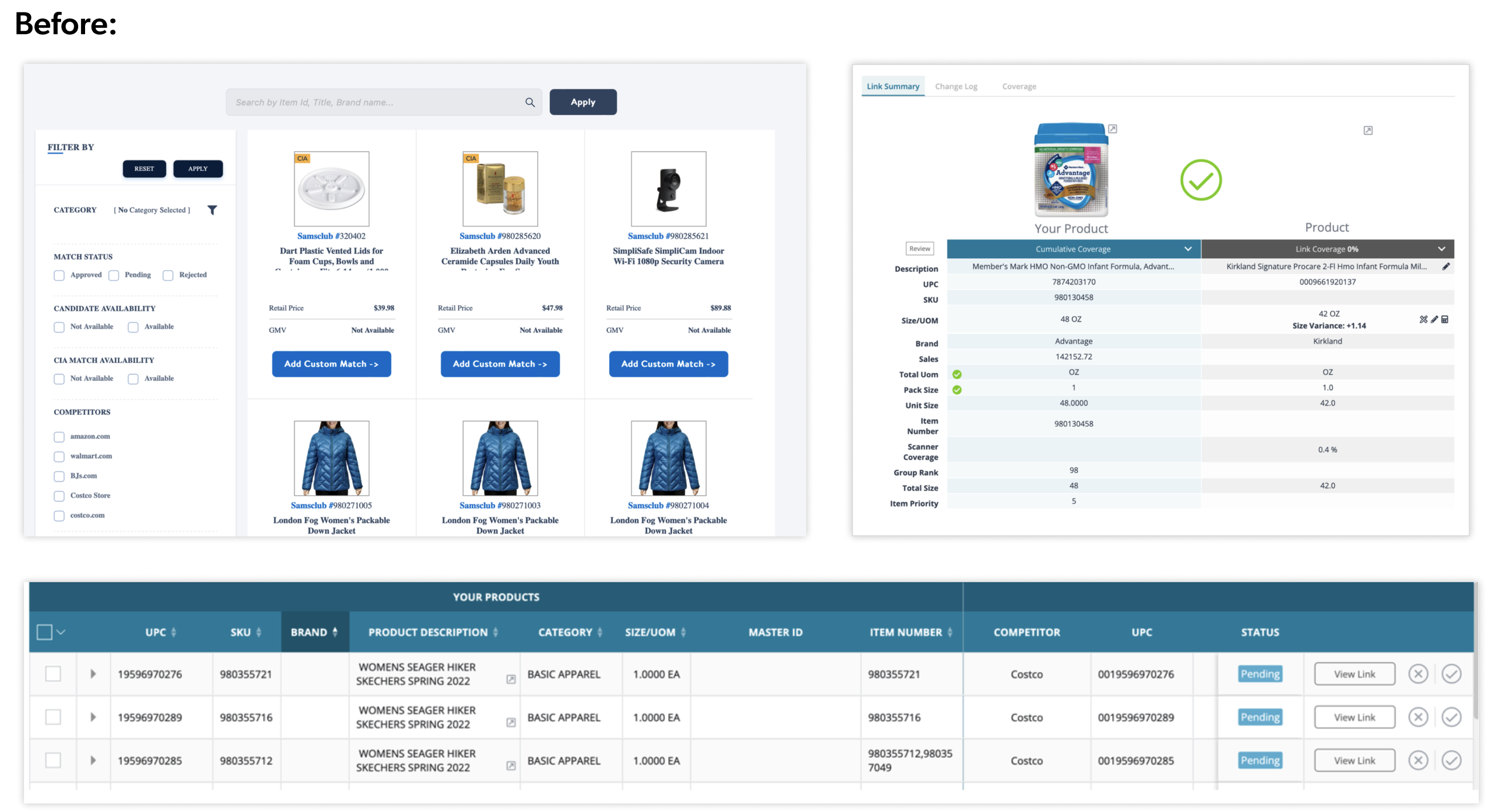
Comp Matches Before
Wireframe from PO
Original Wireframe
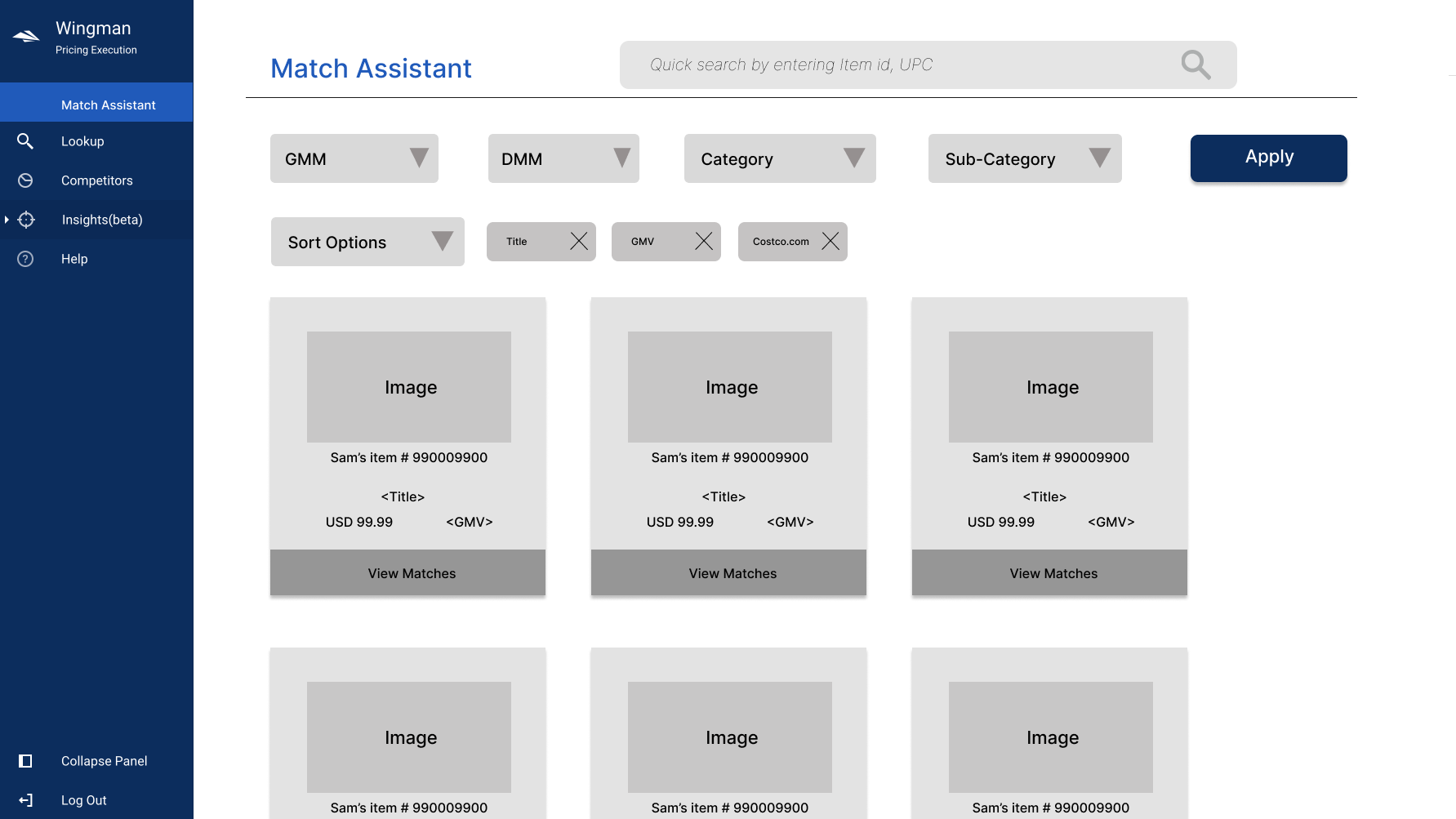
The Product Owner at Sam’s approached us with a robust set of requirements, including early ideas for flows. We worked closely with him to interview users of the existing tools to understand their needs and pain points (and there were many!)
Each pricing manager is responsible for a different sector of the business, and each had a slightly different need for what information should be surfaced. We worked closely with a 3 different managers to make sure that all the use cases were covered in the new solution.
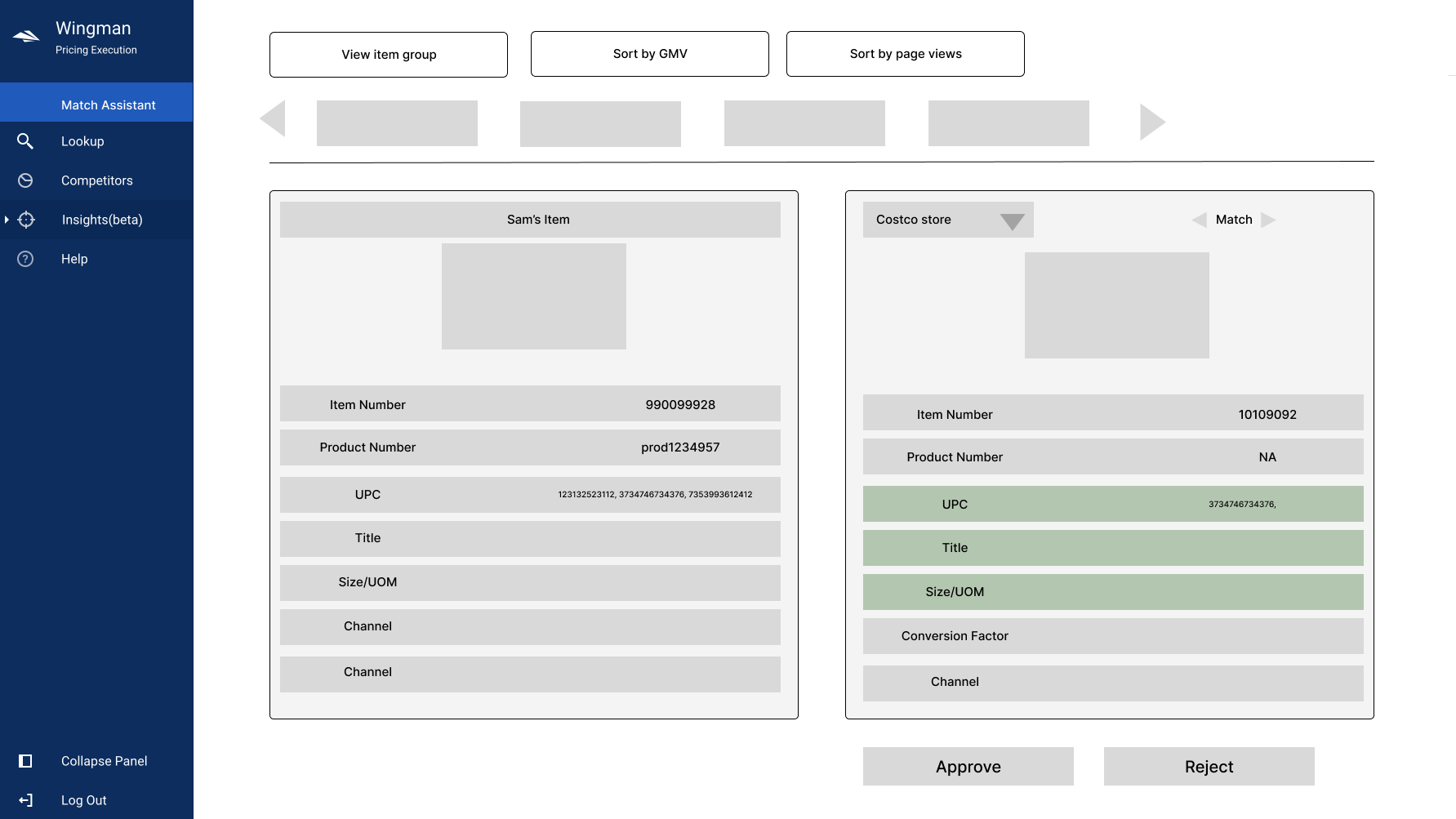
Basic Screens and Wireframes
There are two primary interfaces in this flow:
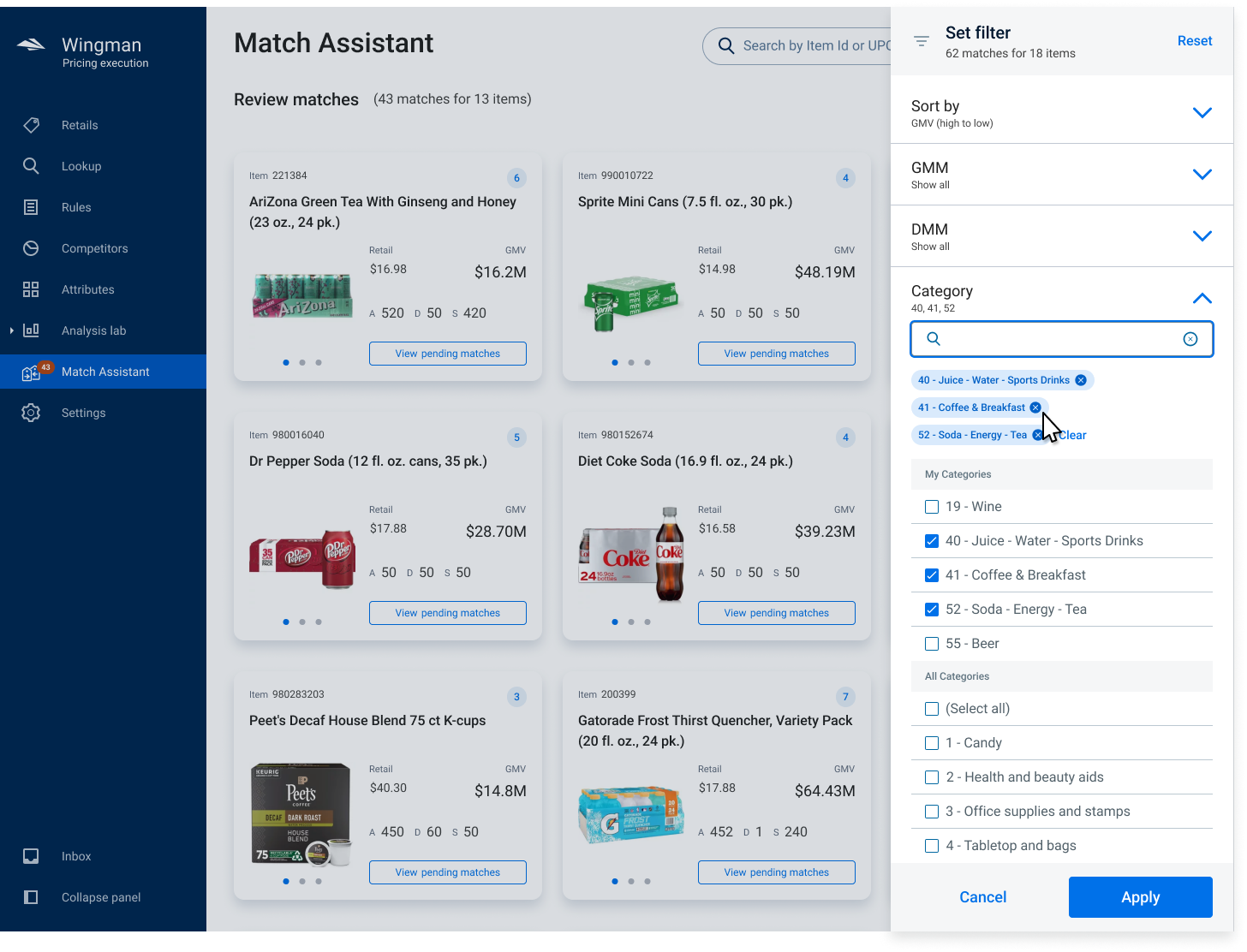
- Discovery and Filter
Gives users sort and filter options to narrow down potential matches by sector, category, price range, and a host of other internal data points. - Review Matches
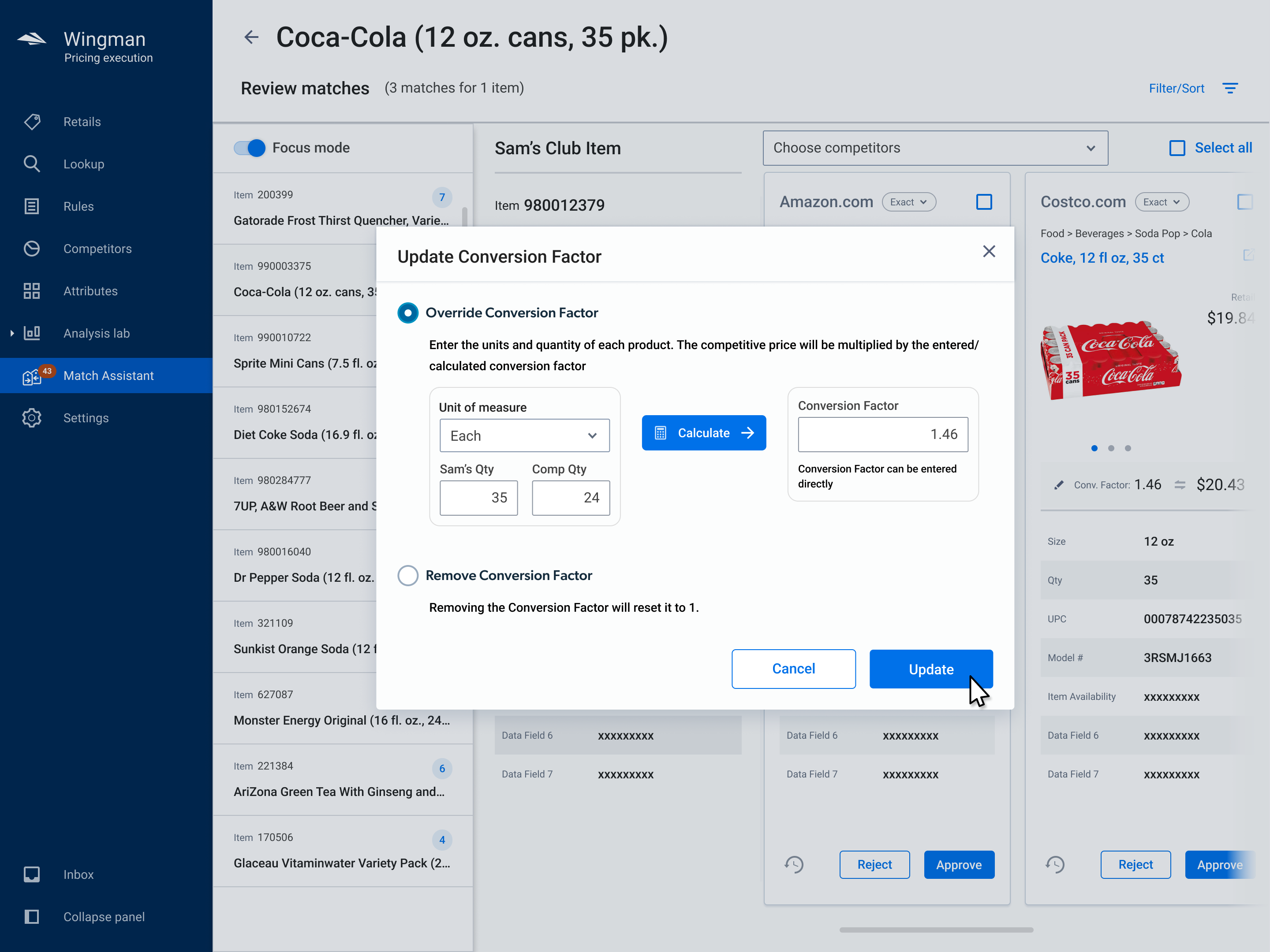
Allowing the user to see the Sam’s product side-by-side with the newly suggested matches from a competitor, evaluate if it is indeed a match, and approve or reject that match.
Competitive Matches Requirements
Personalizing the Interface for Unique Users
The user’s primary task in the Competitive Matches tool is to find products with potential matches suggested by the backend AI, evaluate those suggestions to see if they actually do match, and choose to approve or reject the suggestions.
Each user has a specific sector they’re generally responsible for evaluating, but there times when they cover for other teammates, so they need the ability to access all sectors and not just their own.
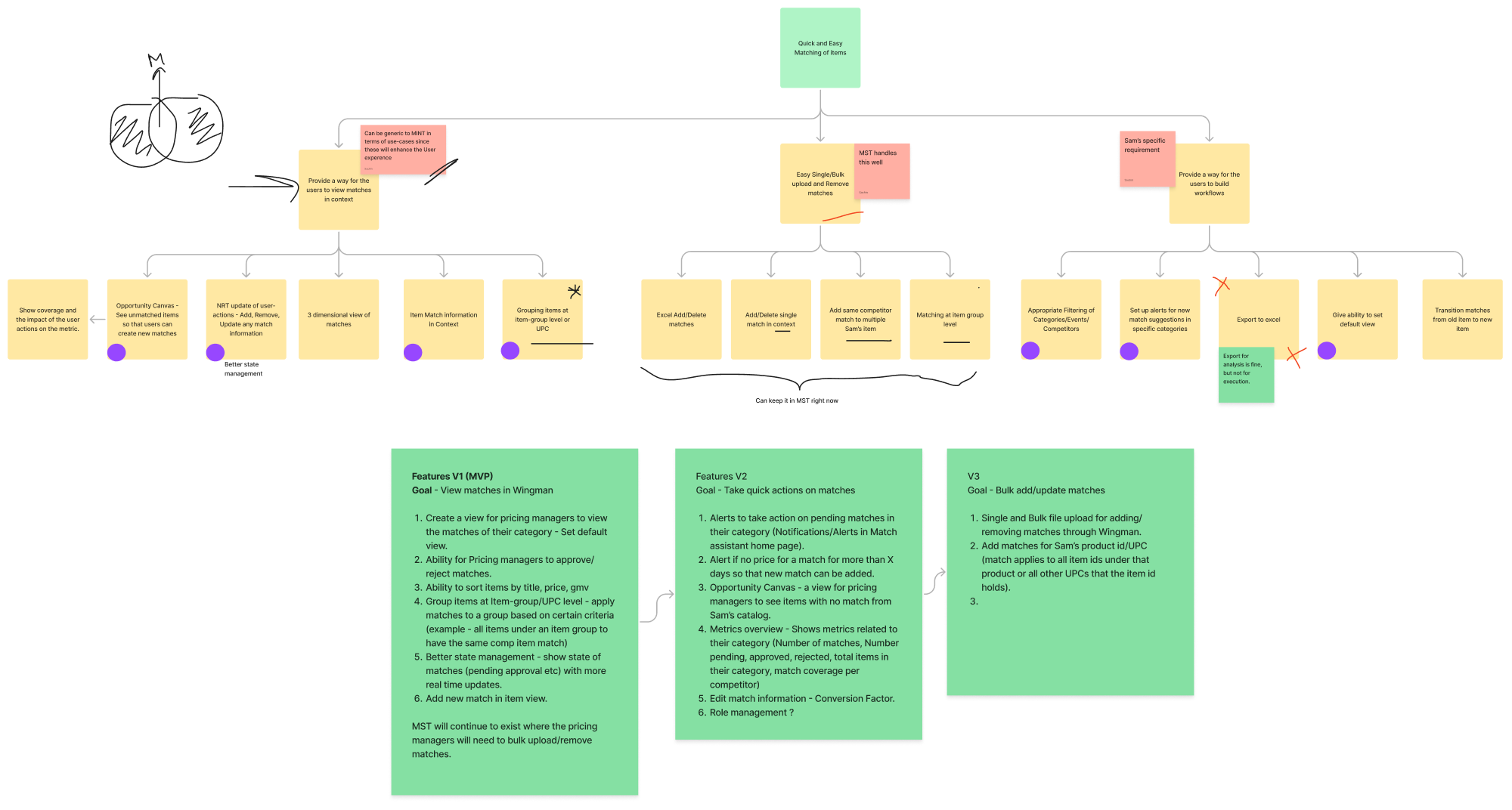
To the right you can see the beginning of an early flow diagram, mapping out the requirements next to the beginnings of screen layout and design. This is a Frankenstein mashup of pieces from the existing website, wireframes and user stories from the Product Owner, and my own notes and questions.
See a large version in Figma
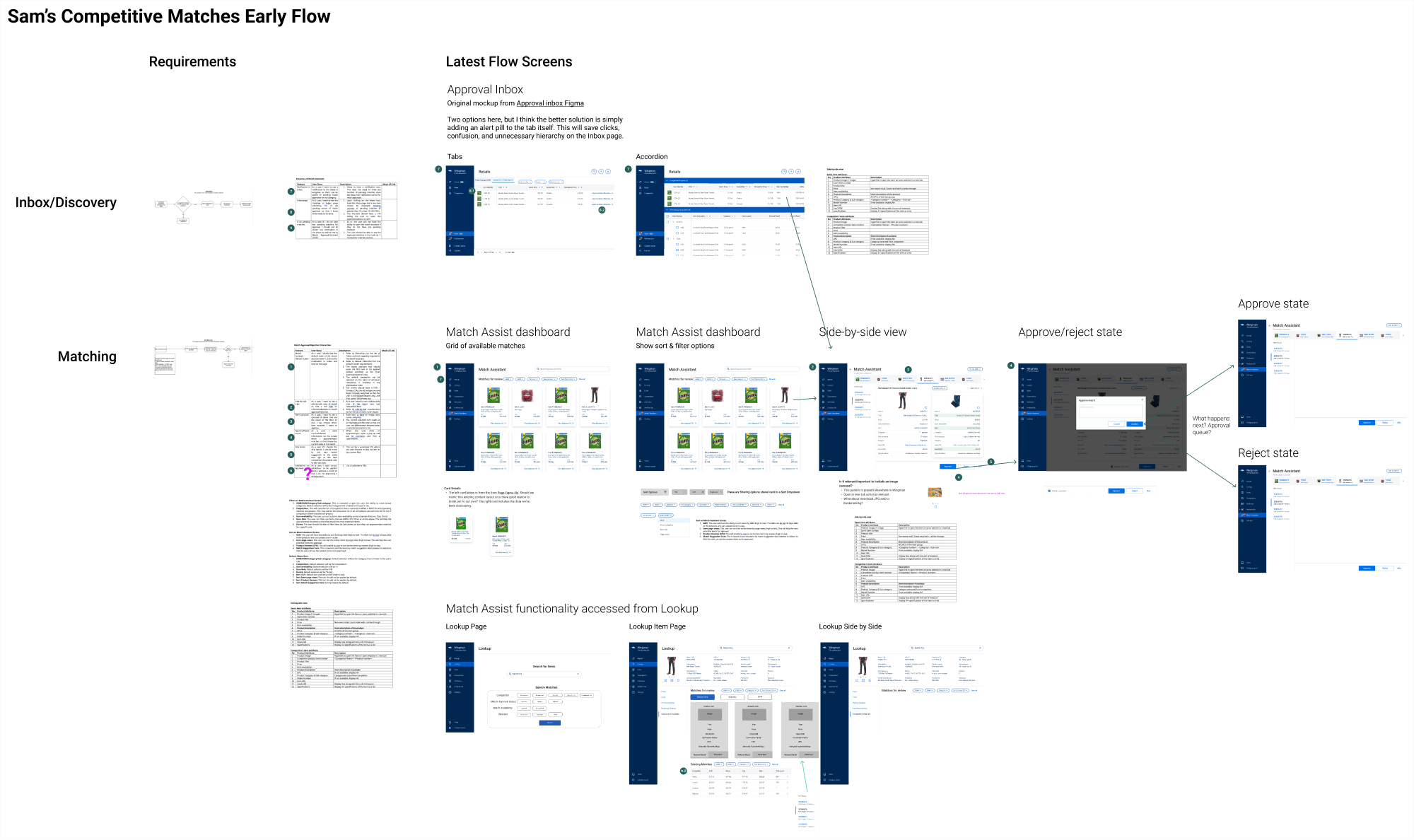
Early Requirements & Flow Work
Color Styles
Components
DLS Win Through User Research
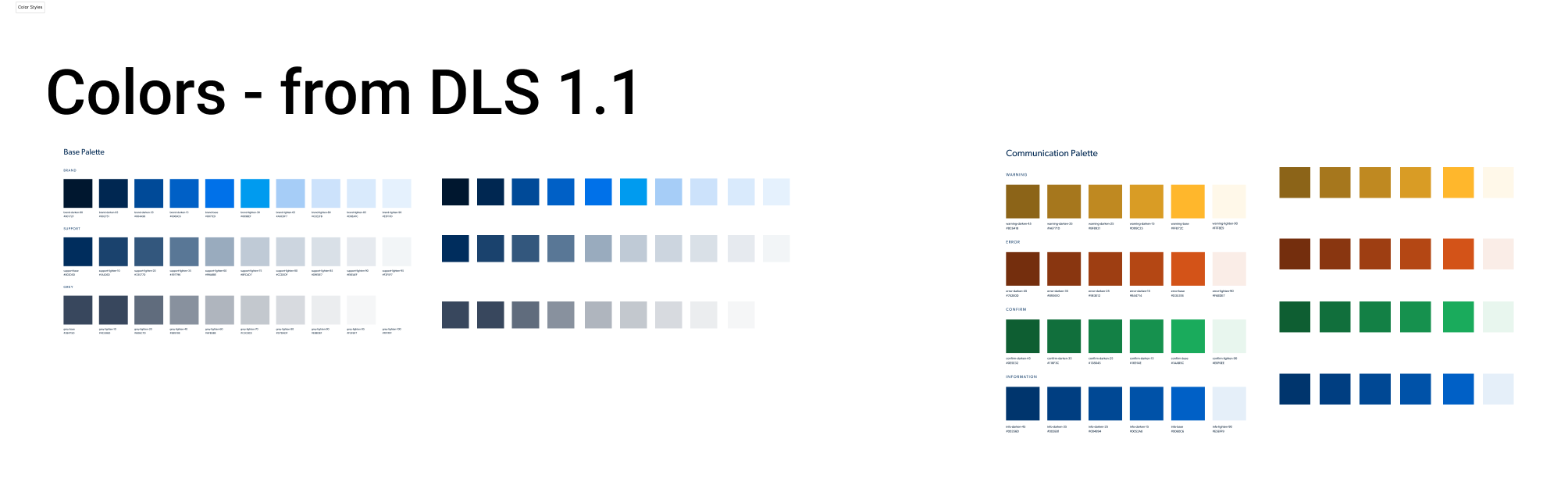
During this track of work, I began working through some DLS updates. I began condensing and tokenizing the many different colors and typography styles that had crept into the design over the years (72 shades of blue!).
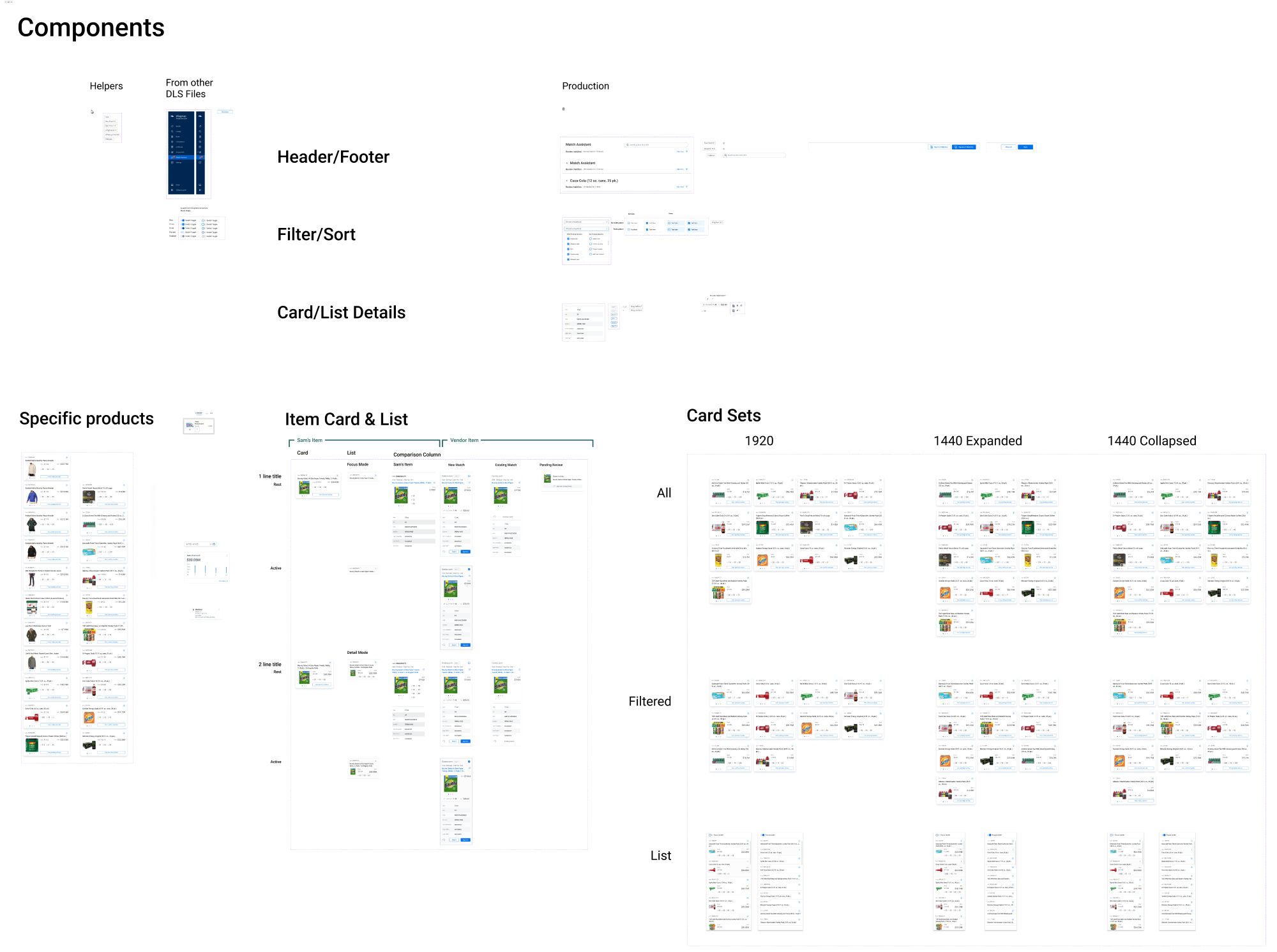
I also began working on an updated product card and list layouts. The existing card had some major hierarchy problems and a static set of fields that didn’t serve all the business users equally.
After a user research session to understand how the Pricing Managers filtered down the relevant data to get to the products they needed, we were able to not only adjust what fields they were shown, but we also worked with dev to create a customizable card for each sector, giving them exactly the information they needed.
See the full versions of these and more in Figma
Final Designs, Outcomes
Through user interviews, market research, we created a flow that drastically reduced the user’s time every week validating potential matches. Through a little backend magic that our developers created, we were able to cull the systems from three down to one.
By creating a left-to-right workflow and building in a robust search and filter capability, the new tool accurately surfaced the products that are most impactful for Pricing Managers.
And instead of spending an enter day every week in this process, users reported spending only an hour per week instead. That’s a huge savings to their task list and Sam’s bottom line!
See the full final flow in Figma
Tracks of Work:
Bulk Price Estimation
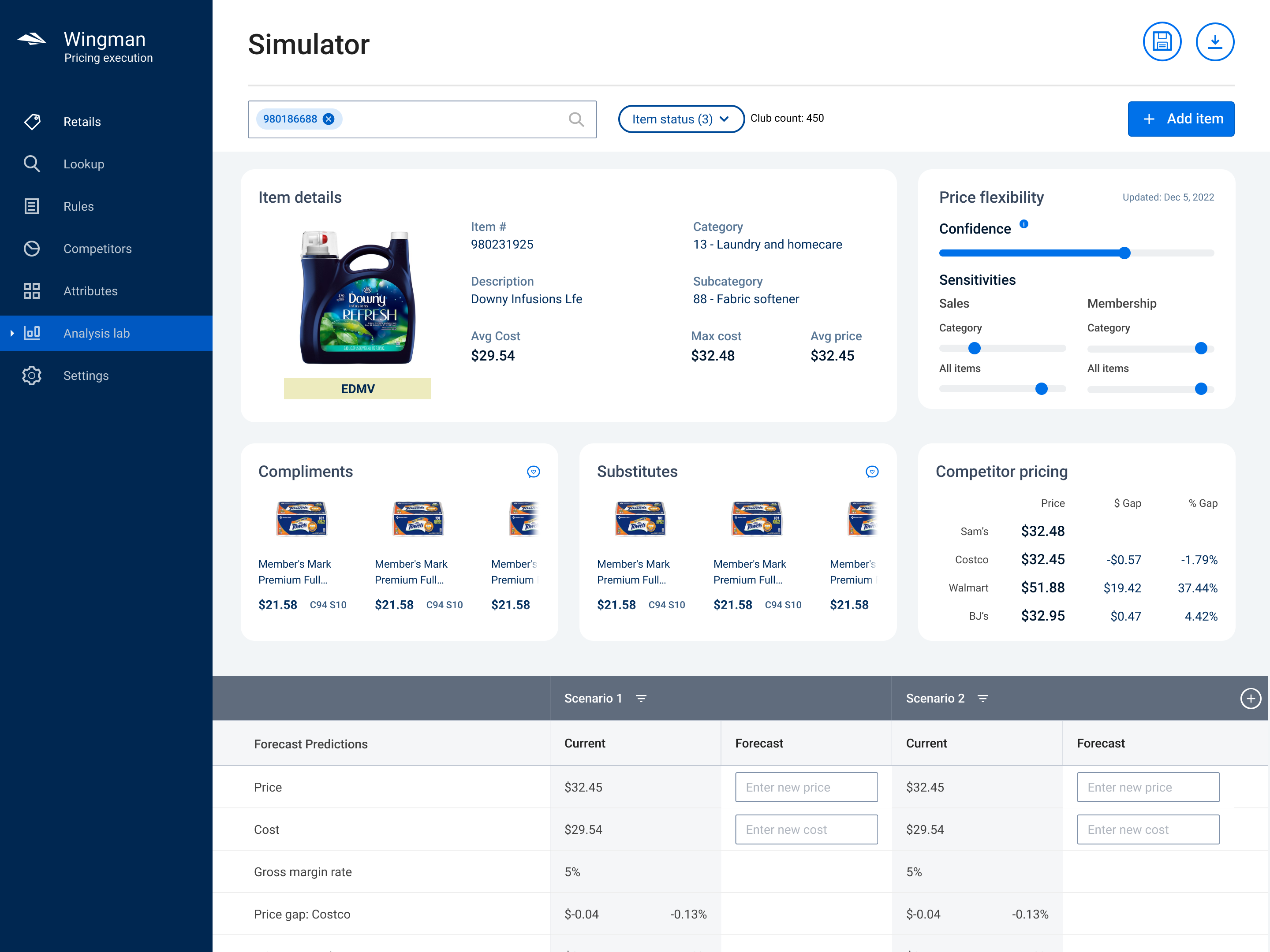
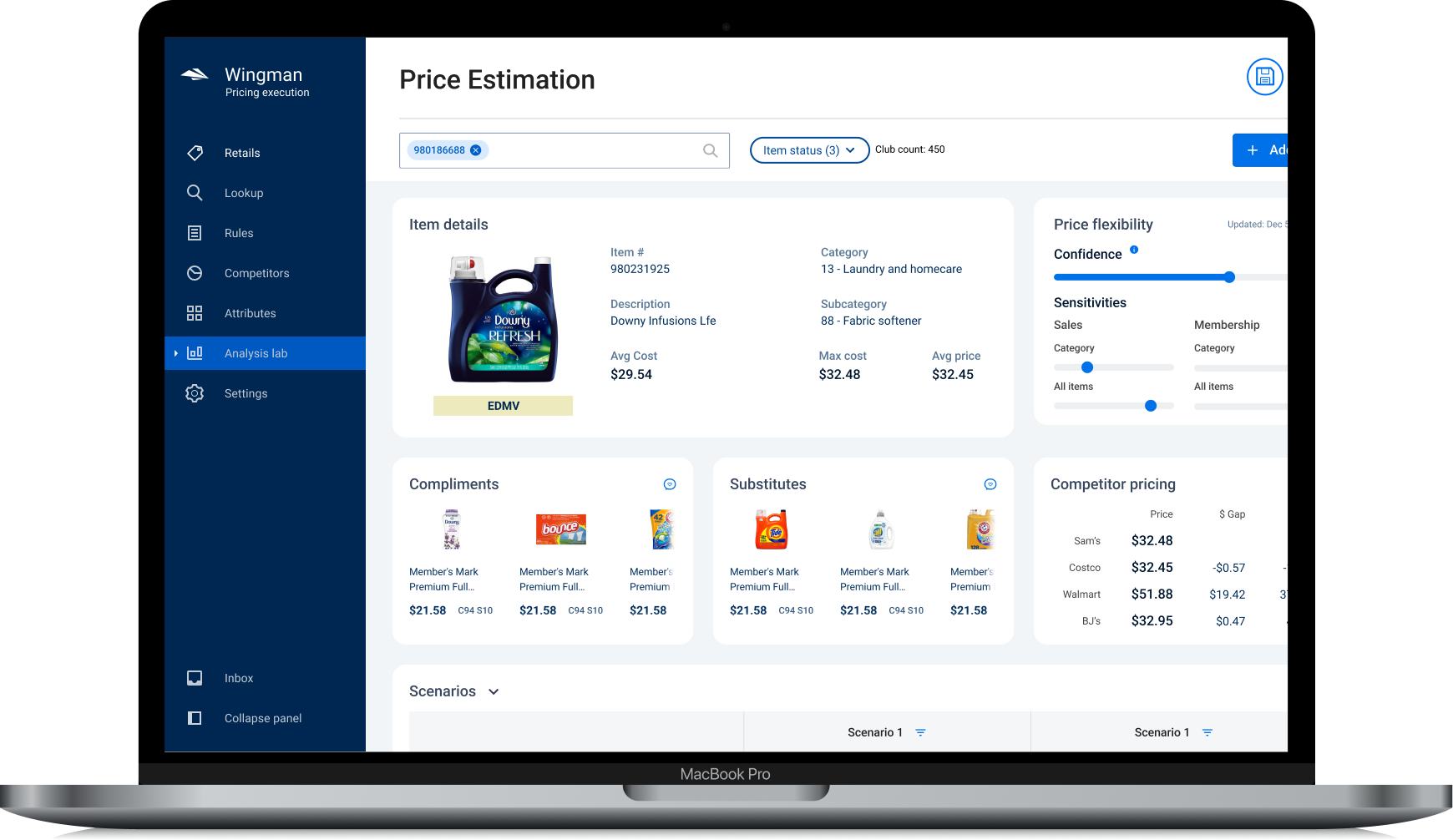
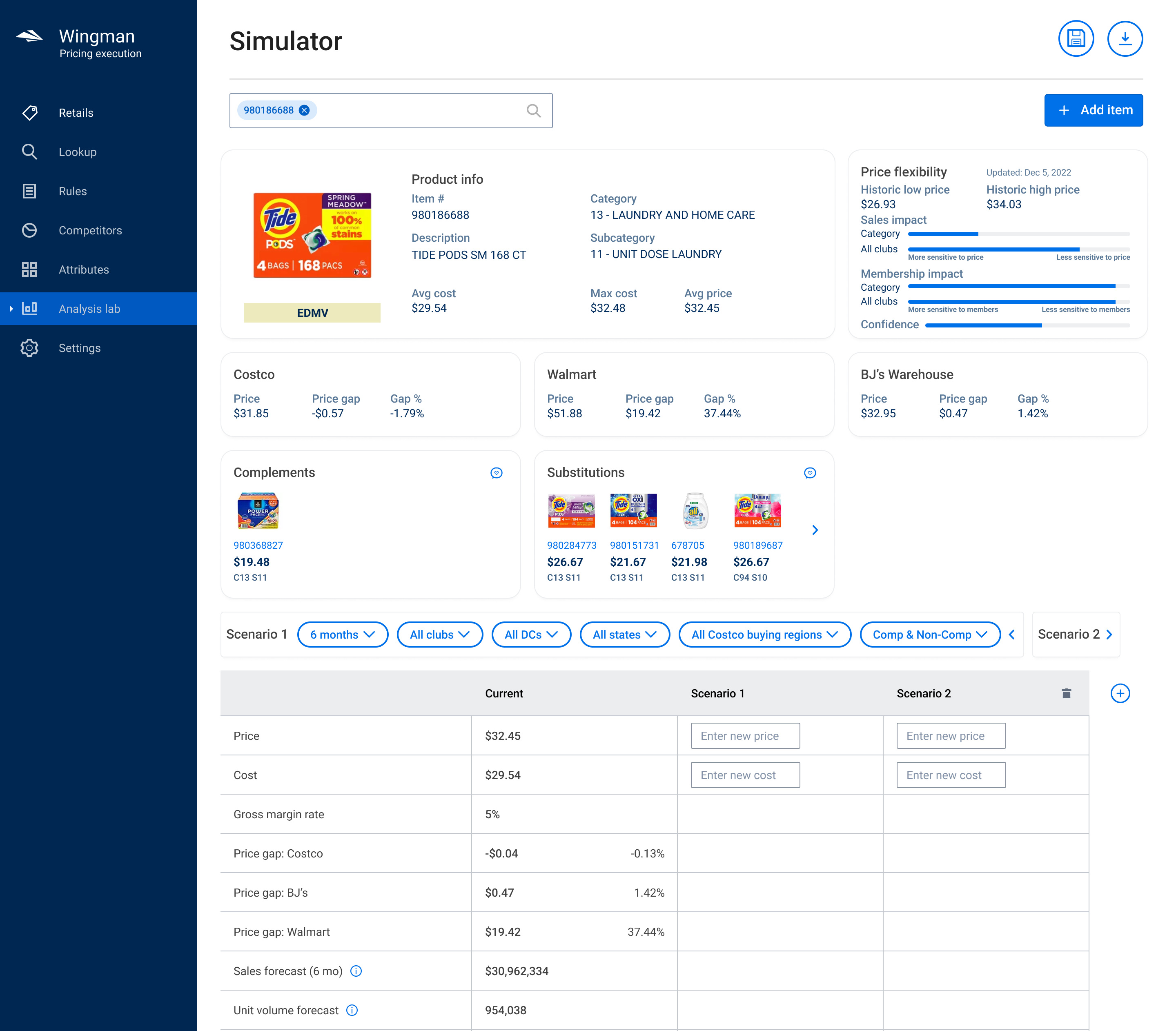
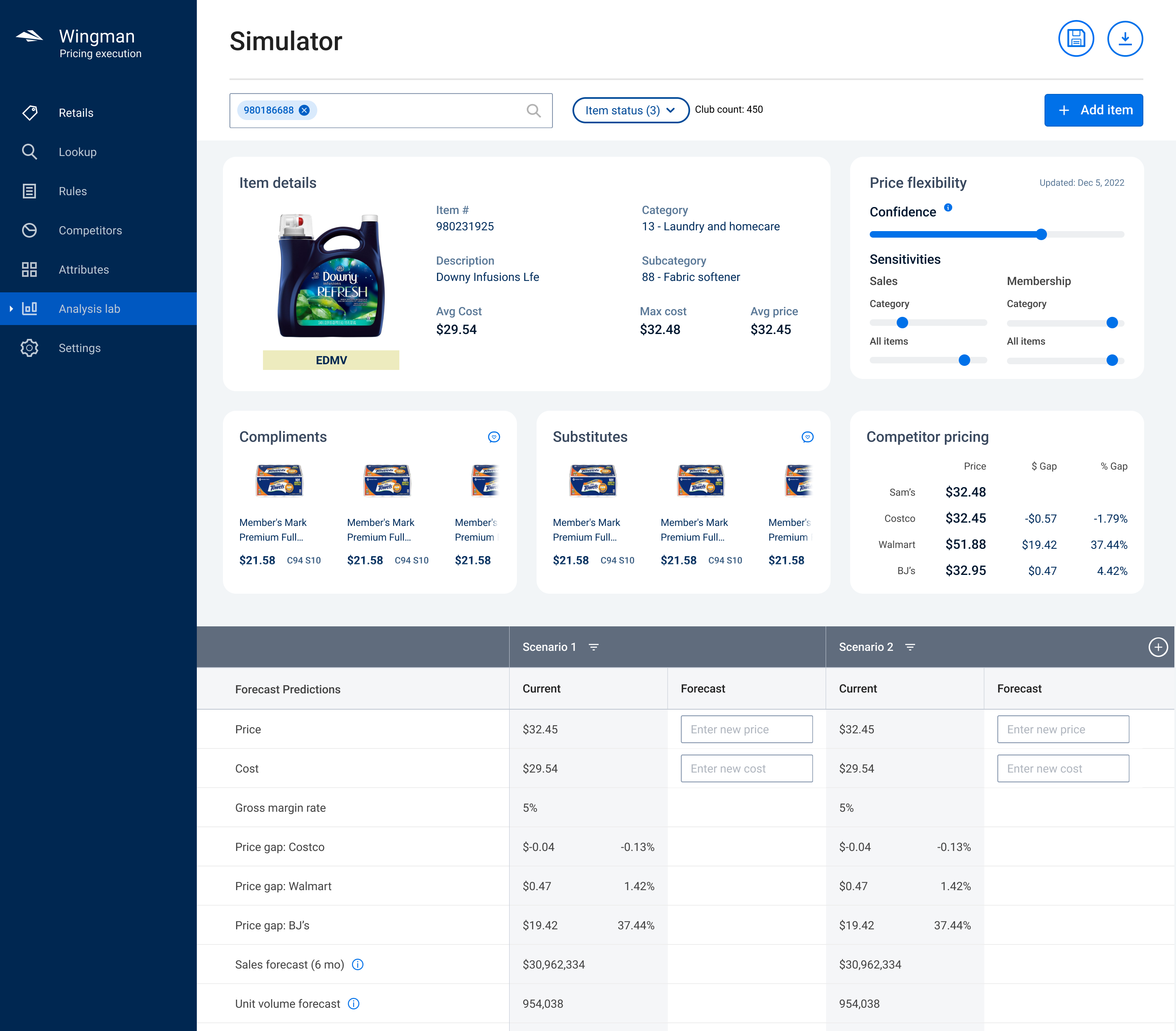
Sam’s has a robust backend AI system that allows Pricing Managers to create a sandbox environment for testing product price changes. The tool predicts changes not only for that item, but also for complimentary and substitute items, along with a host of other revenue factors. It’s incredibly powerful, but as is often the case – power also brings complexity.
In this fast-turnaround project, I was able to introduce clarity through a few key page changes and stronger UI framework.
Before
Before
After
Bulk Impact Analysis
Tracks of Work:
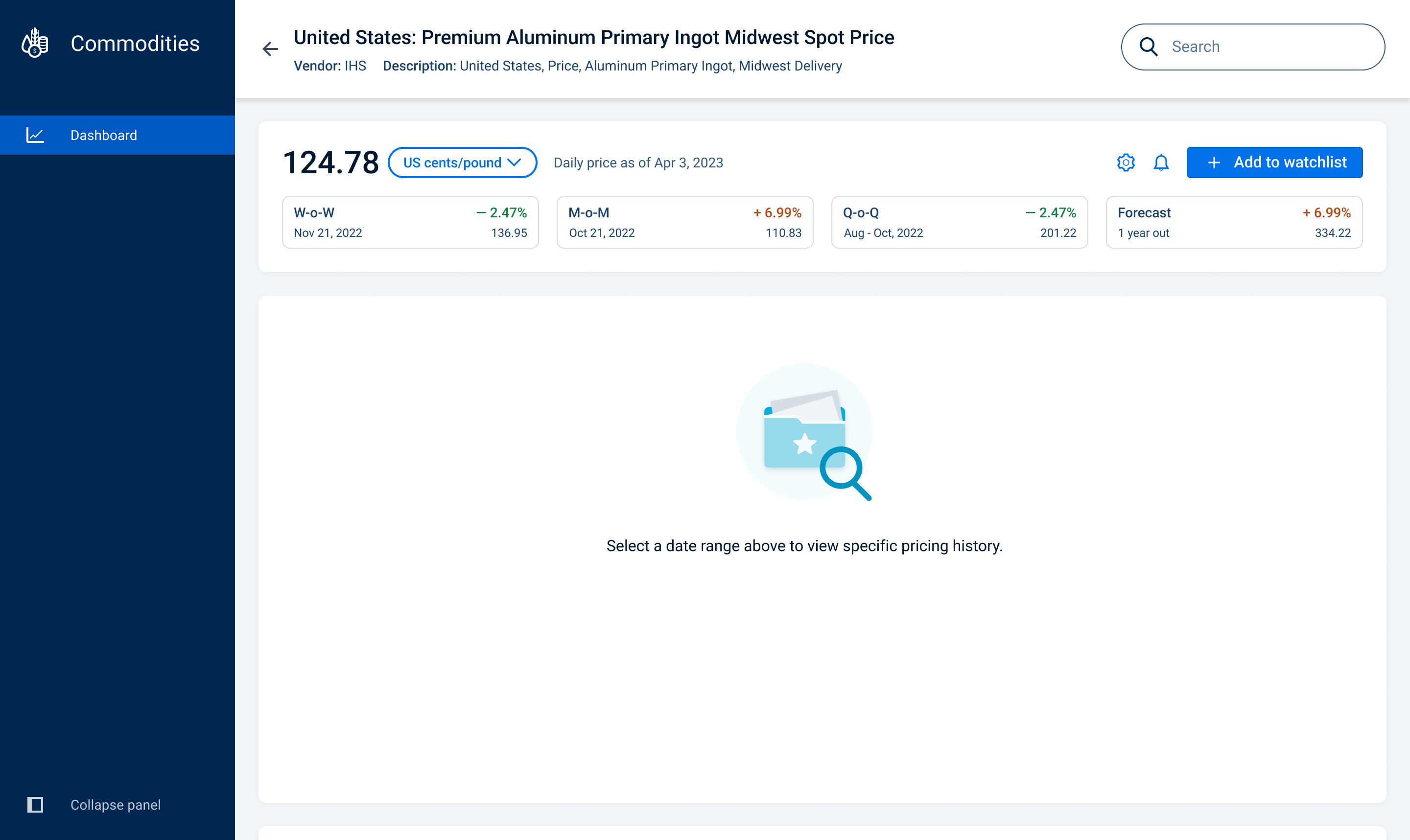
Commodities
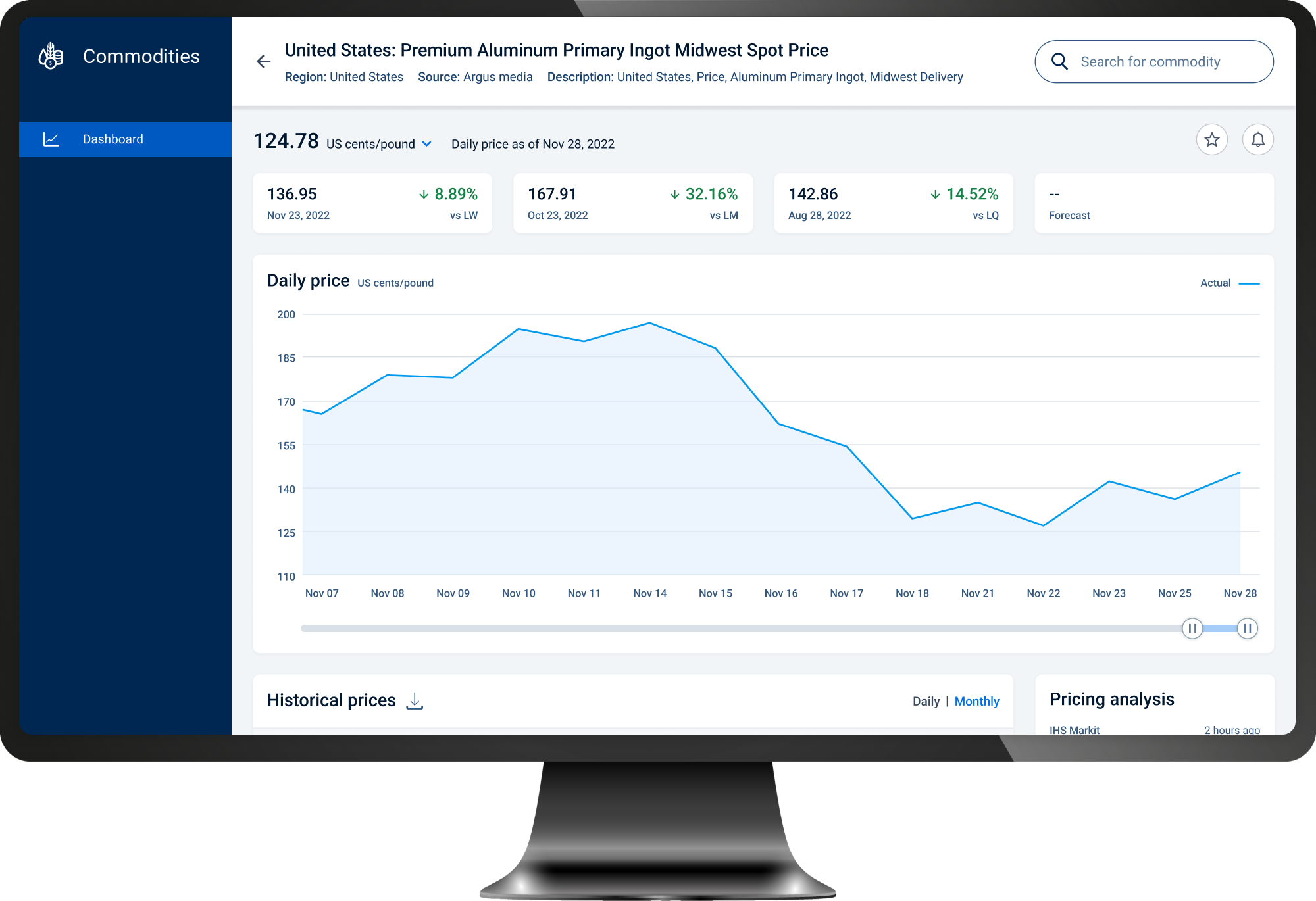
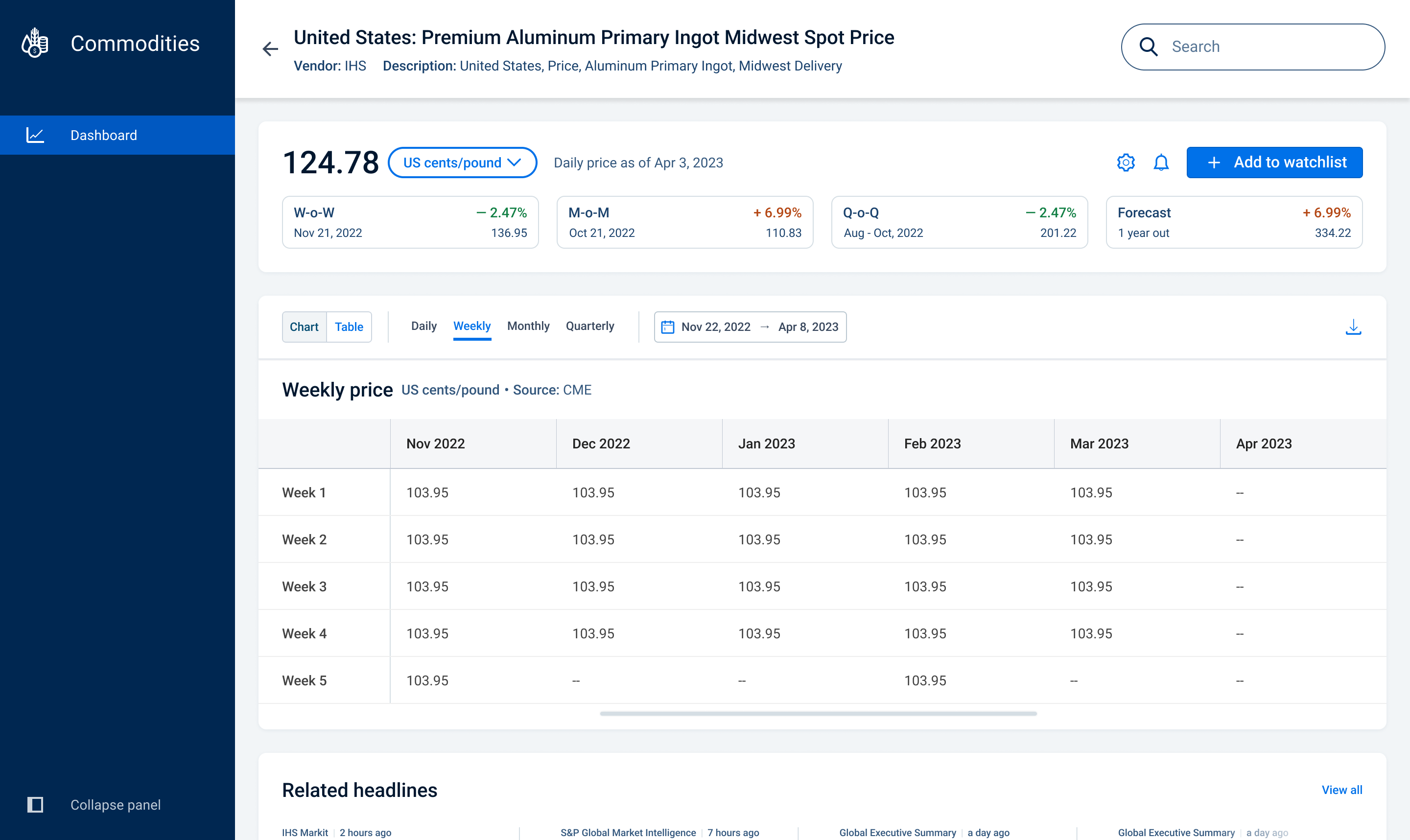
To correctly price products, Pricing Managers need to know understand how much those items cost. Each product is made up not just of the product itself, but the raw ingredients, packaging and shipping.
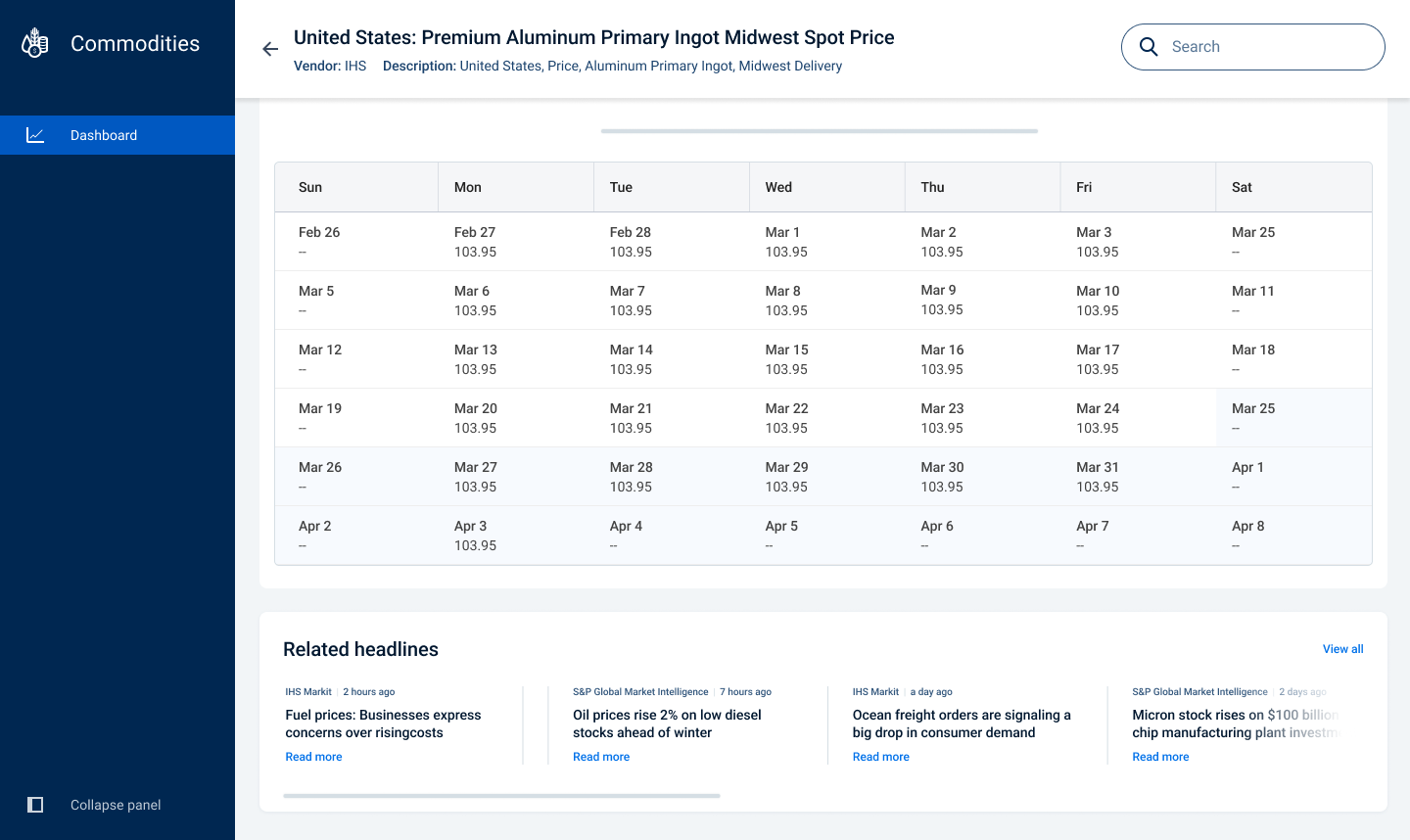
Keeping abreast of commodity prices for things like aluminum, glass, paper, fuel, flour, etc. gives Pricing Managers the data they need to make good decisions about how much they should pay AND charge for items.
It also helps them negotiate (and renegotiate) the prices they pay to vendors for these items. And with sheer amount of purchasing and selling items, Sam’s can save a significant amount of money by having this data at their fingertips to when making crucial decisions.
Toggle_ TableWeekly
Daily Chart with News Articles